script command is used to record shell sessions.
It is useful for documentation, capturing and replicating issues.
Simplest Implementation:
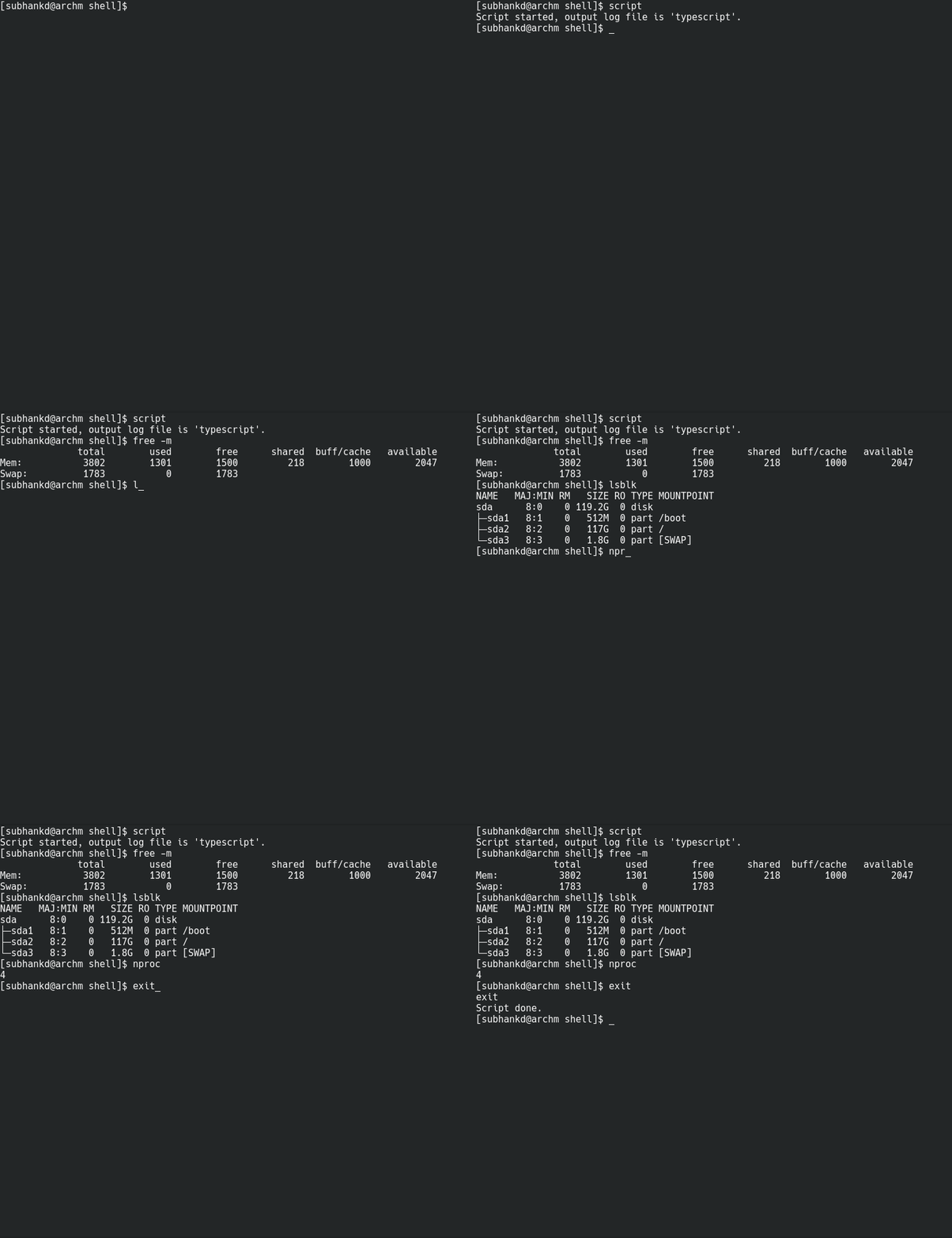
Now by default, output file is ‘typescript’. We can pass any other name for output file as below.
$ script myscript.log
Now myscript.log would contain the output.
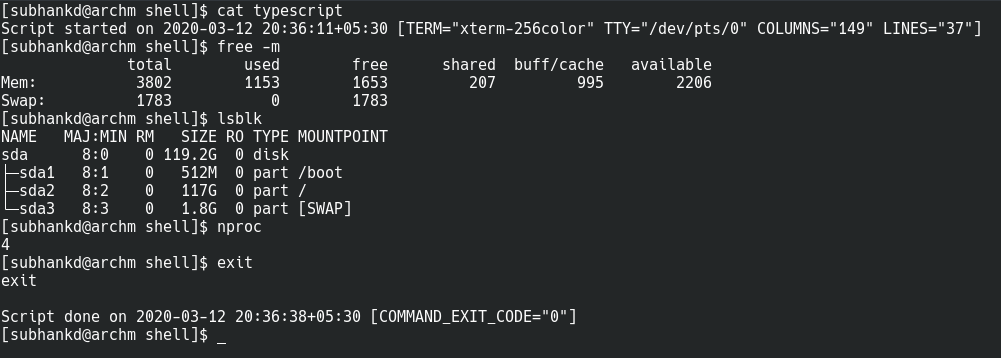
If we examine the contents of this file, we find exactly what we expect.
Our session is recorded 🙂
Record and Playback:
Another useful feature of this script command is the ability to record and playback the session. We have to enable timing log for this to work.
$ script myscript.log –timing=time.log
time.log would be the timing log which helps in replaying the recorded script.

To replay the recorded shell session we use the scriptreplay command:
$ scriptreplay -s myscript.log -t time.log
or
$ scriptreplay -s myscript.log –timing=time.log
 Data Shack
Nice.
LikeLike