Ansible is a simple IT automation system. It handles configuration management, application deployment, cloud provisioning, ad-hoc task execution, network automation, and multi-node orchestration.
Commercial versions are available. But most of it is free and open source.
To use Ansible, we need to install it on our control machine. Installation on target machines is not required (agentless).
I have installed Ansible on my archlinux machine.

You check the Ansible version as below:

Now you can see the config file path = /etc/ansible/ansible.cfg
As Ansible uses SSH to connect to the targets. Make sure you can establish SSH connection to the target machines from the control machine.
I will use a AWS EC2 instance as my target here. I already have this setup and have the ssh key copied there.
Now we setup the hosts file for ansible:
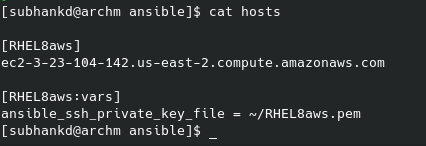
It contains the list of hosts that you want to connect and how to connect to those.
[RHEL8aws]
ec2-3-23-104-142.us-east-2.compute.amazonaws.com

[RHEL8aws:vars]
ansible_ssh_private_key_file = ~/RHEL8aws.pem
RHEL8aws.pem is the ssh key file generated during the AWS EC2 instance setup.
Now we are ready to use Ansible.
Most simple way to check if are setup properly is to ping the host.
ansible -m ping RHEL8aws    # only hosts with RHEL8aws tag
or
ansible -m ping all         # all hosts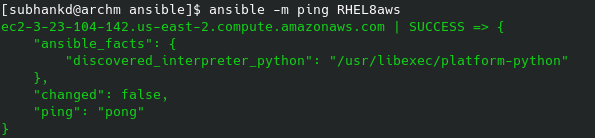
Ansible can accomplish more complex tasks via playbooks.
But i will cover only ad hoc commands here.
Ansible has various modules to execute commands on the target host.
Another such module is the shell module, used to execute shell commands. We have already seen the ping module.

By default Ansible will use the same user as the control machine.
You can change this with the -u option.

 Data Shack