This is a shell script to read a csv file into array and display the contents.
Using an array is preferred we can keep track of no. elements in a row.
For example:
echo ${row[@]} will display all the elements of array.
echo ${#row[@]} will display the no. of elements in the array.
Also to get the 2nd element of the array, use : echo ${row[1]}
Note: Array index here in bash shell starts from 0.
#!/bin/bash

clear

row_no=1

while IFS=',' read -a row ;             # read into an array named row
do
        echo "ROW number: $row_no"
        echo "ROW contents: ${row[@]}"  # display all the elements of array
        echo "ROW Length : ${#row[@]} " # no. of elements in the array
        echo -e "\n----------------------------------\n"
        ((row_no++))
done < file.csv
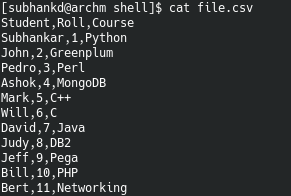
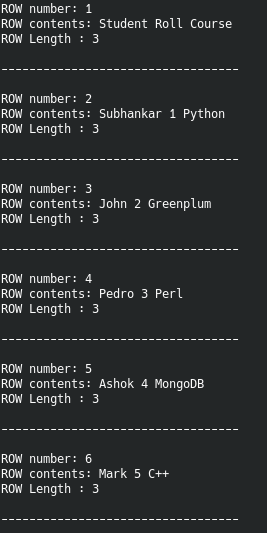
Below is the csv file contents and output of the script.
 Data Shack